 New
New
Color Match
Color Match is a calm paint puzzle where each blend must hit a close shade.
View Game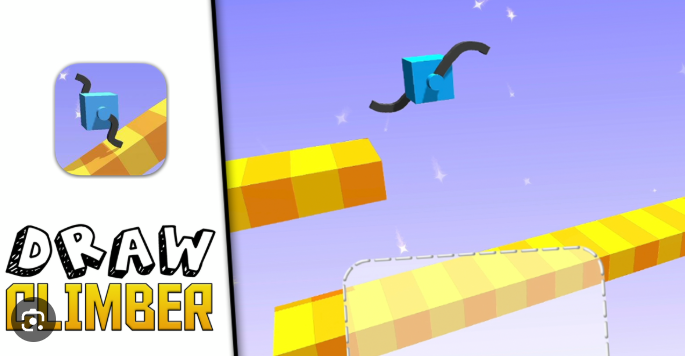
Play in Browser
Draw Climber
New Games
Fresh picks for Brain It On fans. Open any card to play fast and scan tips, features, and FAQs.
New
Color Match is a calm paint puzzle where each blend must hit a close shade.
View Game
New
Draw Climber is a draw-and-race game where the legs you sketch decide speed and balance.
View Game New
New
Draw Defense is a draw-and-fight game where your lines become troops and shields.
View Game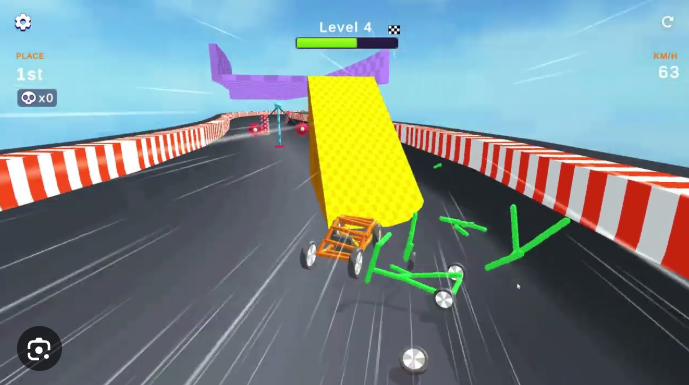 New
New
Draw Racing blends memory and path drawing into a fast puzzle race.
View Game New
New
Draw To Smash is a draw-and-drop puzzle where each line becomes a heavy hit.
View Game New
New
Drawer Super Racer is a draw-and-race game where your wheel shape decides speed and balance.
View Game New
New
Fill One Line is a one-stroke puzzle that tests path sense and calm focus.
View Game New
New
Just Draw is a simple draw-and-fix game built for quick wins and calm focus.
View Game New
New
Quick Draw is a fast AI sketch game where each round is a 20-second race.
View Game New
New
Skribbl Io is a fast draw-and-guess game built for quick rooms, loud laughs, and sharp hints.
View GameDraw Climber is my go-to pick when I want a fast laugh and a smart race. I take a plain block and give it legs with a quick sketch. Those legs can be long, short, curved, or odd, and each shape changes how the racer moves. Draw Climber feels like a toy box with real rules, so I can test a wild idea and see if it works right away. I love how a tiny tweak can turn a slow crawl into a fast dash. Draw Climber keeps the vibe light, yet it still rewards smart draws and calm timing.
The best part is the way the track keeps me on my toes. Slopes, gaps, and sharp turns force me to swap my leg plan on the fly. If I draw legs that are too long, I tip fast. If I draw legs that are too short, I stall on a hill. I learn by trial, and each fail is a fun clip in my head. Draw Climber is a short, bold loop of draw, race, and grin, and I can jump in for a few rounds any time.
“I draw a new leg, the racer flips, and I still laugh.”
When I want a clean win, I start with a simple leg set and test the pace. A wide V shape is good for flat roads, while a tall Z shape grips a steep slope. If a gap is wide, I draw long legs like a jump bar. If the track is rough, I draw a wide base so I stay calm on bumps. Draw Climber lets me redraw as much as I want, so I keep a cool head and tweak one small line at a time. Draw Climber stays fair when I play smart, so I keep my shapes neat and focused.
Here is how I play Draw Climber in a simple loop. I scan the next hill or gap, then I sketch legs to match that shape. I let the racer move, then I watch for tips or slips. If the legs fail, I tap reset and draw again. Draw Climber is fast, so I can test three or four ideas in one short round.
| Action | Tool | Tip |
|---|---|---|
| Scan the track | Your eyes | Plan for slopes, gaps, and sharp turns. |
| Draw new legs | Mouse or touch | Keep lines clean and not too long. |
| Test the run | Play | Watch the tips and fix one part. |
| Reset fast | Reset | Swap one leg, not the whole plan. |
I also use a quick set of rules: short legs for sharp turns, long legs for gaps, and wide legs for rough ground. If you want more draw races after Draw Climber, try Draw Racing or Drawer Super Racer. Draw Climber still wins for me when I want fast, funny moves.
Draw Climber keeps its tool set tight, so I can focus on the race. I draw legs in one drag, test in one tap, and reset with no wait. The physics feel light but fair, so a smart leg plan can beat a wild guess. I also like how the levels mix flat runs with odd slopes, since each bit needs a new leg idea.
These perks make Draw Climber feel both silly and smart. I get to act like a toy maker and a racer at the same time. Draw Climber keeps me in a fun loop of test, tweak, and win, and it never feels dull.
Yes. I play Draw Climber in my browser with no pay wall. I can jump in and draw legs right away.
I flip when my legs are too long or too thin. I fix it by drawing a wider base and testing one change at a time.
Not every time, but I often do. The track shifts a lot, so a new leg shape can save a run.
I use a Z style or a tall V to grip the slope. It helps the racer climb without a big tip.
Discuss Draw Climber